 Statiko Docs
Sent
Review what went out to your channels, remove messages from Telegram, and retry failed posts.
Wondering what your readers actually got? Sent lists every post that went out, newest first, together with any post that didn't make it, so you can check what was published and fix what went wrong.
You'll find it in the menu on the left: open Posts, then Sent. To see older posts, scroll down and press Load more.
What you'll find here
- Every planned post from Scheduled, once its time came.
- Every post sent by a repeat, a post that goes out regularly.
- Everything you sent straight away with Send now.
- Posts that Telegram didn't take. They stay here marked Failed, so you can try again.
What the cards tell you
Each card is one post. The bottom of the card tells you how it went:
| You see | What it means |
|---|---|
| Sent | It's in your channel. The date and time it went out are on the right. |
| Failed | Statiko couldn't confirm it went out. The card shows the time it was meant to go out instead. |
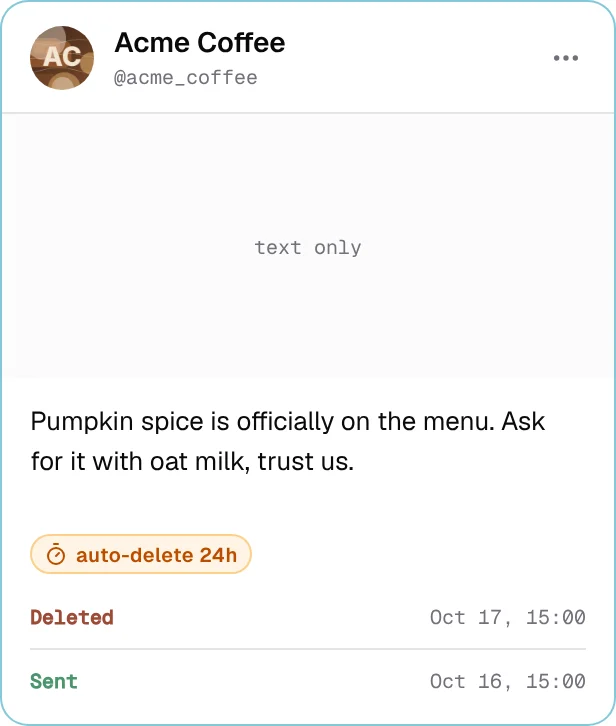

If a message was later removed from Telegram, the card says Deleted and when.
Look at a sent post
Click a card to open the post. You'll see it the way your readers saw it, together with when it was planned, when it actually went out, and whether it will be removed later. A sent post can't be changed, but you can copy it with Duplicate and send the copy.
Remove a post from Telegram
Press the ⋯ button on a card to see what you can do with it:
| Button | What happens |
|---|---|
| Open in Telegram | Opens the message in your channel. |
| Duplicate | Opens a copy in the editor so you can send it again. |
| Delete from Telegram | Removes the message from your channel, after you confirm. |
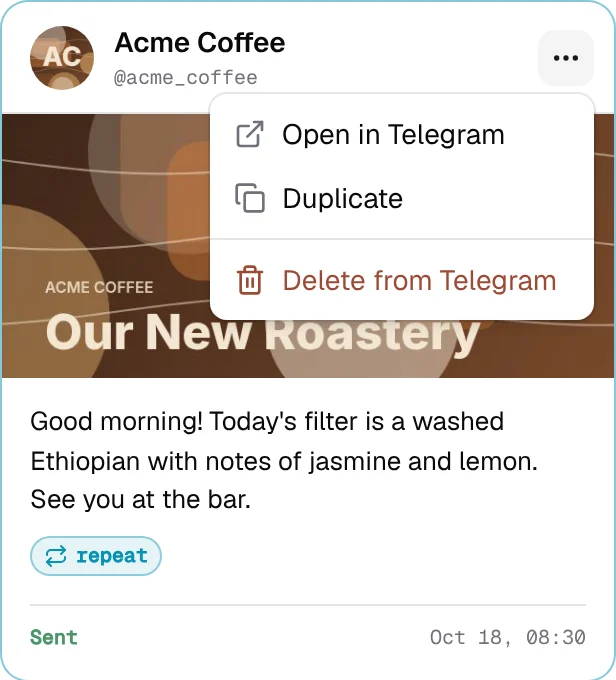
Delete from Telegram can't be undone: the message disappears for everyone. The post stays on this page, marked Deleted, so you still have a record of it.
You can also have a message removed later instead of now: open the post, pick a date and time under Auto-delete and press Schedule removal.
Try a failed post again
Open the failed card. What happened explains why it failed, then press Retry.
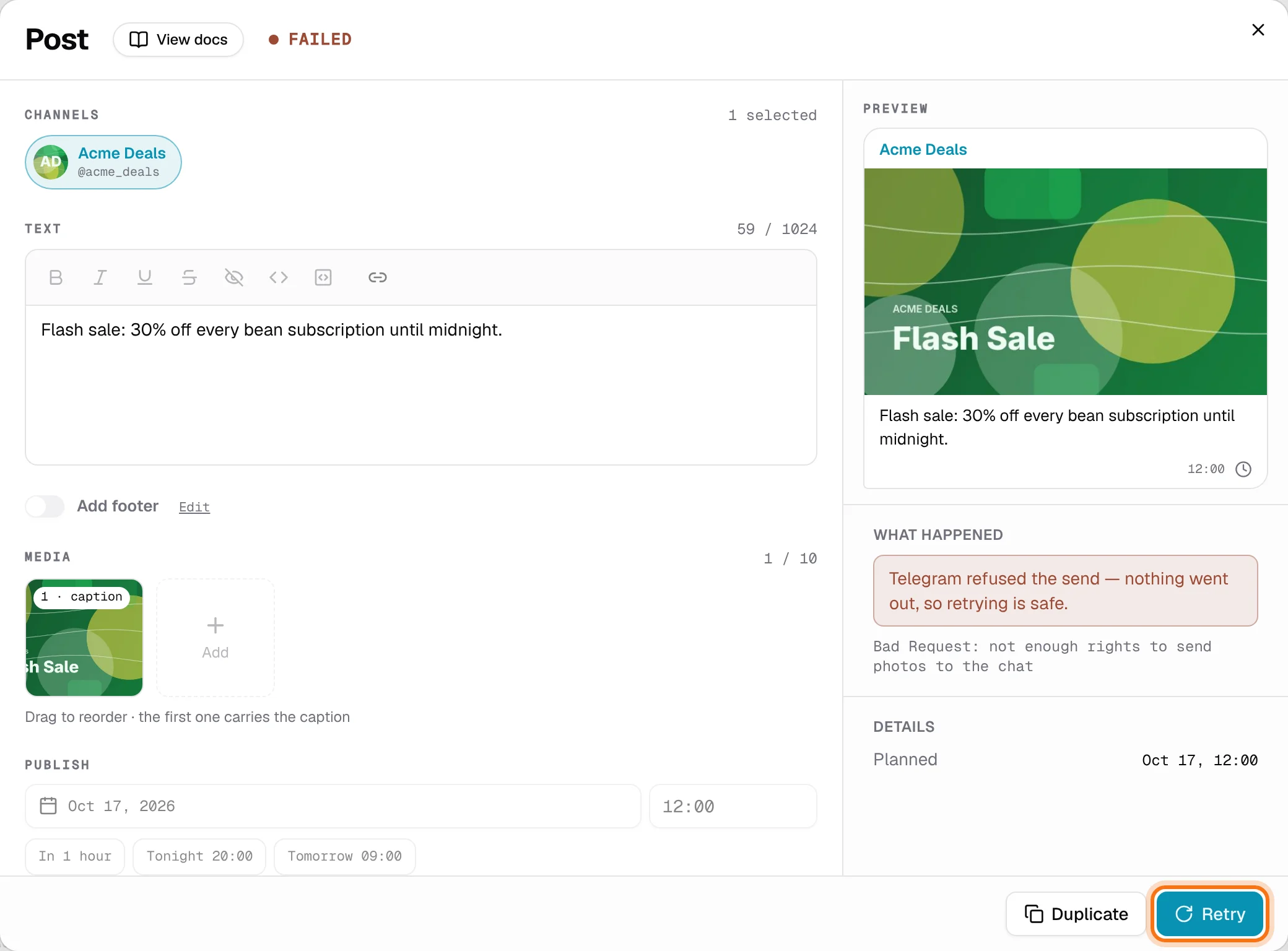
Statiko sends a fresh copy straight away and shows Retry scheduled. The failed post stays on the page as a record.
Before you retry, fix whatever stopped it, or it will fail again. If you want to change the post first, press Duplicate instead and edit the copy.
Good to know
- A failed post's menu only offers Duplicate. To retry it, open it.
- Deleting from Telegram is for everyone and forever. Your readers won't see the message any more.
- Picking a channel, searching and view-only access work the same as on the other Posts pages. Drafts explains them.