 Statiko Docs
Creator tools
Overview
Plan, write and send posts to your Telegram channels, all from one place.
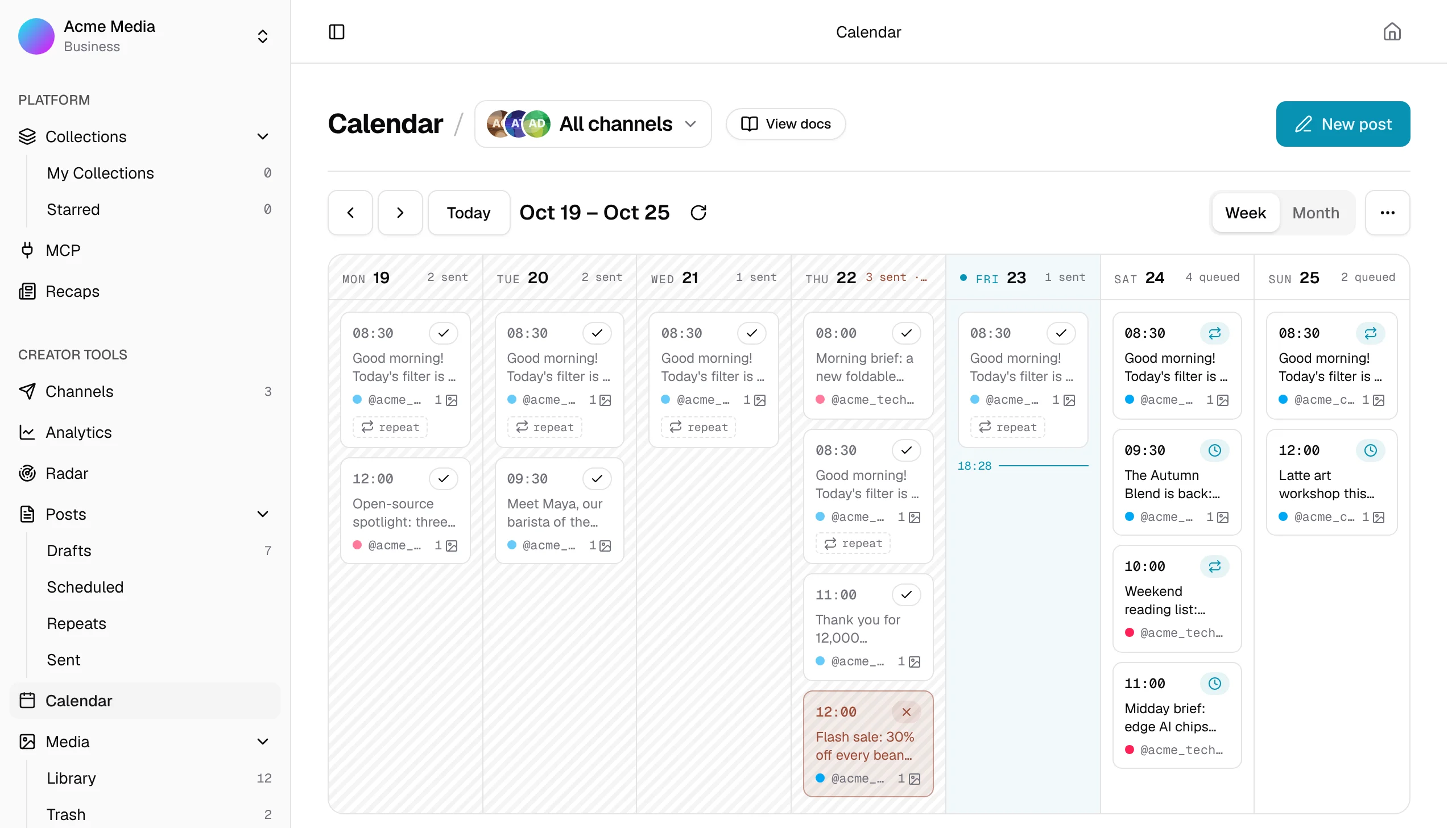
Think of Creator tools as a small newsroom for your Telegram channels. You connect a channel once, and from then on you can write posts, plan when they go out, have some go out regularly, keep your photos and files in one place, and watch each channel grow.
You'll find the Creator tools pages in the menu on the left of your Statiko dashboard.
Get started in three steps
- Connect your channel. Channels shows you how, using your own Telegram bot.
- Open the Calendar and press New post.
- Write your post, then plan it for later or send it straight away. Writing a post walks you through it.
What each page is for
| Page | What it's for |
|---|---|
| Calendar | Everything planned and sent, week by week |
| Drafts | Posts that aren't ready yet |
| Scheduled | Posts waiting to go out |
| Repeats | Posts that go out regularly, for example every morning |
| Sent | What already went out, and posts that didn't make it |
| Media | Photos, videos and files to use again in your posts |
| Radar | Websites and news feeds you follow, turned into drafts |
| Channels | Your connected channels and bots, and each one's settings |
| Analytics | How many subscribers you're gaining and how much you post |
Good to know
- Help is one click away. Every page in the app has a View docs button next to its title. It opens the matching page of these docs.
- Not everyone on your team can make changes. Owners and admins can; other members can only look.
- Use it from your AI assistant. With the Creator tools connector, Claude or ChatGPT can write drafts, plan posts and check your stats for you.